Your robots.txt is probably the oldest file on your site. It may also have quietly become the most consequential one again, because it is the first file every well-behaved AI crawler requests, and of all the files in the AI-readiness stack, it is the one with the longest-standing formal internet standard behind it (RFC 9309).
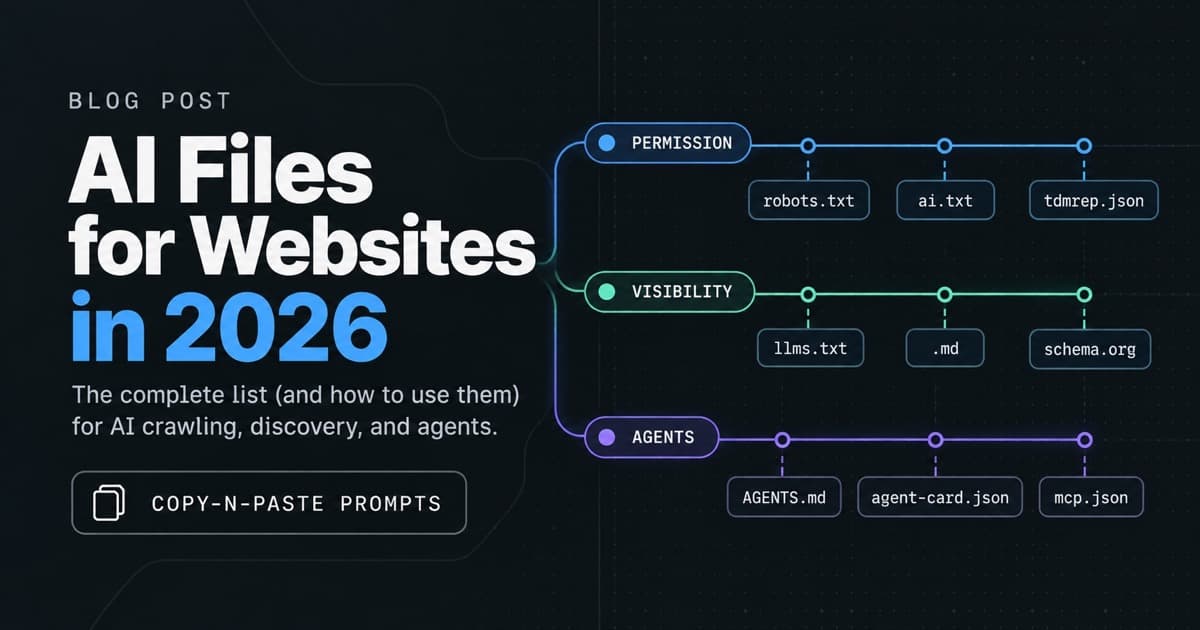
This post is the practical companion to the robots.txt section of my AI files guide: one file, treated properly. What changed, what a robust file looks like now, a fully annotated real-world example running in production, and a super-prompt at the bottom that generates all of this for your own site.
robots.txt is the file every well-behaved AI crawler reads first
Some context worth having before touching the file:
- It's a real standard now. After 28 years as a gentleman's agreement, the Robots Exclusion Protocol became RFC 9309 in September 2022. Parsing rules, grouping rules, and precedence are formally defined. The examples below lean on that.
- Virtually everyone has one; almost no one has updated it. Cloudflare's Radar analysis of 200,000 top domains (April 2026) found robots.txt adoption at about 78%, but only about 16% of sites carry any AI-specific rules, and only about 4% declare structured AI-usage preferences. The overwhelming majority of robots.txt files on the internet were written for a web where the only serious reader was Googlebot.
- It's advisory. Compliance is voluntary. The major labs honor it and say so publicly; bulk scrapers often don't. Declared rules protect you from cooperative bots' defaults. Server-side enforcement protects you from everyone else. You need both, and this post covers the first.
Which AI crawlers to allow and which to block: the four bot classes
The single biggest upgrade you can make to your robots.txt is to stop thinking "AI bots" and start thinking in classes, because the right answer differs per class.
1. Answer engines and retrieval fetchers. OAI-SearchBot, ChatGPT-User, Claude-SearchBot, Claude-User, PerplexityBot, DuckAssistBot, and friends. These fetch your pages to answer a live question or keep an answer index fresh. They cite you and link back, which makes them the closest thing the AI era has to referral traffic. Blocking these is how you end up invisible in ChatGPT, Claude, and Perplexity.
2. Model-training crawlers. GPTBot, ClaudeBot, CCBot, Google-Extended, Applebot-Extended, Meta-ExternalAgent. These collect content to train future models. Allowing them means models learn your product by default; blocking them costs you nothing in day-to-day AI visibility. This is the one genuinely philosophical decision in the file, and either answer is defensible. What is not defensible is not knowing which answer your file currently gives.
3. Coding agents and agentic browsers. Claude Code, Cursor, Devin, Operator, and the growing pile of agentic fetchers. Low-volume, user-initiated, and increasingly how developers actually consume documentation. If developers matter to your business, this group decides whether their tools can read your docs on their behalf.
4. Bulk harvesters. Bytespider, img2dataset, LAION downloaders, Scrapy runs, SEO-tool crawlers you don't use. High volume, no citation, no traffic back. The easy block.
A complete AI-aware robots.txt example, annotated
I recently rewrote postman.com/robots.txt along exactly these lines. Here is the structure, with the reasoning:
# robots.txt — https://www.postman.com/
# Spec: RFC 9309 · Site summary for AI agents: https://www.postman.com/llms.txt
#
# Two groups: everything is allowed, except the bulk harvesters at the bottom.
# Every allowed crawler — named or not — shares the one rule block below, so the
# five crawl-trap Disallow rules are written once and apply to all of them.
User-agent: *

# AI answer engines. They cite and link back, so they send real traffic.
# OAI-SearchBot powers ChatGPT search and does not train models.
User-agent: OAI-SearchBot
User-agent: ChatGPT-User
User-agent: Claude-SearchBot
User-agent: Claude-User
User-agent: PerplexityBot
User-agent: Perplexity-User
User-agent: DuckAssistBot
# …and a dozen more in this class

# Model-training crawlers, so models learn Postman by default.
# Google-Extended and Applebot-Extended gate AI training only, not search.
# TO OPT OUT OF TRAINING: move these lines to the blocked group at the bottom.
User-agent: GPTBot
User-agent: ClaudeBot
User-agent: Google-Extended
User-agent: CCBot
# …

# Coding agents and agentic browsers. This is what decides whether a
# developer's agent can read Postman docs on their behalf.
User-agent: Claude-Code
User-agent: Cursor
User-agent: Devin
# …

Allow: /
Disallow: /search?*          # client-side search: nothing to index, infinite params
Disallow: /*/run/create/?*   # action endpoint, not a document
Disallow: /*?ctx=*           # context param, duplicates every page

# Bulk harvesters — blocked. High volume, no citation, no traffic back.
User-agent: Bytespider
User-agent: img2dataset
User-agent: Scrapy
# …
Disallow: /

# Sitemap index only — it already fans out to all 26 child sitemaps.
Sitemap: https://www.postman.com/sitemap.xml
Five deliberate choices in there, each of which I see missed constantly:
Stacked user-agents over one shared rule block. Under RFC 9309, a crawler obeys only the most specific group that matches it. The moment you give ClaudeBot its own group, it stops reading your wildcard rules entirely, including the crawl-trap Disallows you wrote three years ago. Stacking every allowed agent above a single rule block means the five Disallow lines are written once and bind all of them. This is the fix for the most common structural bug in AI-era robots.txt files.
Comments as documentation. The file states its own policy, cites the spec, and tells a future maintainer exactly how to flip the training decision ("move these lines to the blocked group"). Your robots.txt is read by more machines than any other file you own, but it is maintained by humans; write for both.
Crawl traps closed for everyone. Faceted search, action endpoints, and duplicate-content query params (?ctx=) waste crawl budget for Google and burn tokens for AI fetchers alike. The agentic era did not repeal the old SEO hygiene; it raised the price of ignoring it.
Training allowed, deliberately. Postman wants models to know its product deeply. Your call may be the opposite, and the file is one cut-and-paste from flipping. The point is that the file now encodes a decision instead of a default.
The sitemap line points at the index. One line, fans out to 26 child sitemaps, never needs editing when a sitemap is added or renamed.
Going further: Content Signals
Classic robots.txt can only express whether a bot may crawl. It says nothing about how fetched content may be used, which is the question site owners actually care about now. Content Signals close that gap with one directive:
Content-Signal: search=yes, ai-input=yes, ai-train=no
That line says: index me for search, use me in AI answers, do not train on me — independent of any crawl rules. Adoption is early (roughly 4% of top domains), and the IETF AIPREF working group is standardizing this class of preference expression right now, with Content Signals aligned to its direction. Adding one line today is a cheap bet on where this is heading. The super-prompt below includes it as an option.
What robots.txt cannot do
Three honest limits, so this file does not become a false sense of security:
- It cannot enforce. A user-agent string is a courtesy, not a credential. Rate limits, WAF rules, and auth are what stop a determined scraper.
- It cannot keep itself current. New AI bots ship monthly. Any list, including the one above, decays. Organize by group, comment your intent, and revisit quarterly; the structure makes each revisit a two-minute edit.
- It cannot fix what it never sees. If your CDN or bot-protection layer challenges AI fetchers before they reach your origin, your robots.txt is irrelevant to them. That failure mode, and how to diagnose it, is its own post.
The super-prompt: copy and paste this
Paste this into ChatGPT, Claude, or your coding agent. Answer its questions, and it produces a complete, commented, RFC 9309-correct robots.txt organized exactly like the example above. Models with web search enabled will produce the freshest bot lists.
You are helping me write a robust, AI-agent-aware robots.txt file. Follow
RFC 9309 exactly, including group-merging rules: a crawler obeys only the
most specific matching user-agent group, so every allowed crawler must be
stacked above ONE shared rule block to inherit the same Disallow rules.

First, ask me for:

1. My site URL and what the site is (docs, SaaS, ecommerce, blog, media).
2. My audience: do developers use my site or docs? (Decides coding agents.)
3. My AI training stance: allow model-training crawlers (models learn my
   product/content by default) or block them (my content stays out of
   training sets). Explain the trade-off in two sentences before I choose,
   and note that blocking training does NOT affect AI answer visibility.
4. My AI answer visibility stance: nearly every site should allow answer
   engines and retrieval fetchers since they cite and link back. Confirm.
5. Crawl traps to close: ask me for my search URL pattern, faceted/filter
   params, action endpoints, session or tracking params that duplicate
   pages, and any infinite URL spaces (calendars, pagination bombs).
6. My sitemap situation: sitemap index URL if I have one, else the sitemap
   URL, else recommend generating one.
7. Whether I want a Content-Signal line (contentsignals.org syntax:
   search=..., ai-input=..., ai-train=...) matching my answers above.

Then, using web search if available, build the CURRENT list of user-agents
in four groups. My knowledge of bot names may be stale; verify against the
ai-robots-txt community list on GitHub (github.com/ai-robots-txt/ai.robots.txt,
165+ tracked user-agents as of August 2026) and each vendor's published
crawler docs:

  A. Answer engines & retrieval fetchers (e.g. OAI-SearchBot, ChatGPT-User,
     Claude-SearchBot, Claude-User, PerplexityBot, Perplexity-User,
     DuckAssistBot, Applebot, Gemini-Deep-Research, Google-NotebookLM,
     MistralAI-User, DeepSeekBot, Kimi-User, YouBot, ExaBot, TavilyBot
     and current peers)
  B. Model-training crawlers (e.g. GPTBot, ClaudeBot, CCBot,
     Google-Extended, Applebot-Extended, Meta-ExternalAgent, Amazonbot,
     bedrockbot, cohere-training-data-crawler, AI2Bot, PetalBot and
     current peers)
  C. Coding agents & agentic browsers (e.g. Claude-Code, Cursor, Devin,
     Operator, opencode, NovaAct, Trae, Manus-User and current peers)
  D. Bulk harvesters & scrapers with no citation value (e.g. Bytespider,
     TikTokSpider, img2dataset, LAIONDownloader, ImagesiftBot, Scrapy,
     aggressive SEO-tool bots)

Required output:

1. The complete robots.txt, structured as:
   - Header comment: site URL, RFC 9309 reference, link to my /llms.txt if
     I have one, and a one-line statement of the file's policy.
   - `User-agent: *` plus groups A–C (per my answers) stacked over ONE
     shared rule block: `Allow: /` followed by my crawl-trap Disallows,
     each with a trailing comment saying why it exists.
   - Group D stacked over `Disallow: /`.
   - My Content-Signal line if I opted in, with a comment.
   - The Sitemap line (index preferred).
   - A comment telling a future maintainer exactly which lines to move to
     flip the training decision.

2. A short "what this file says" summary in plain English, one line per
   group, so I can sanity-check the policy against my intent.

3. Verification steps: the curl commands to confirm the file is live and
   the specific user-agent + path combinations I should test with a
   robots.txt checker to confirm the group inheritance works as intended.

4. Flag anything I chose that contradicts itself (e.g. blocking retrieval
   bots while saying I want AI answer visibility) instead of silently
   complying.

Do not invent user-agent names. If you cannot verify a bot's current
token, say so and link to the vendor's crawler documentation instead.
Verify it worked
Three checks after you deploy:
# 1. The file is live and plain text
curl -s https://yoursite.com/robots.txt | head -20

# 2. A named crawler actually inherits your shared rules (RFC 9309 grouping)
#    Use Google's robots.txt tester or an RFC 9309 parser with user-agent
#    "ClaudeBot" against one of your Disallowed paths.

# 3. The bots you allowed can actually reach you end to end
curl -s -A "Mozilla/5.0 (compatible; ClaudeBot/1.0)" -o /dev/null -w "%{http_code}\n" https://yoursite.com/
That third check matters more than people expect: a perfect robots.txt behind a bot-challenge wall is a policy nobody ever reads. If it returns anything but 200, start with the reachability post.
And if you want the whole picture in one shot, the AI Readiness Check grades your robots.txt alongside 18 other signals, including whether your Content Signals, llms.txt, and markdown routes agree with what your robots.txt promises.